Instagram’s New Location Sharing Feature: What Parents Should Know
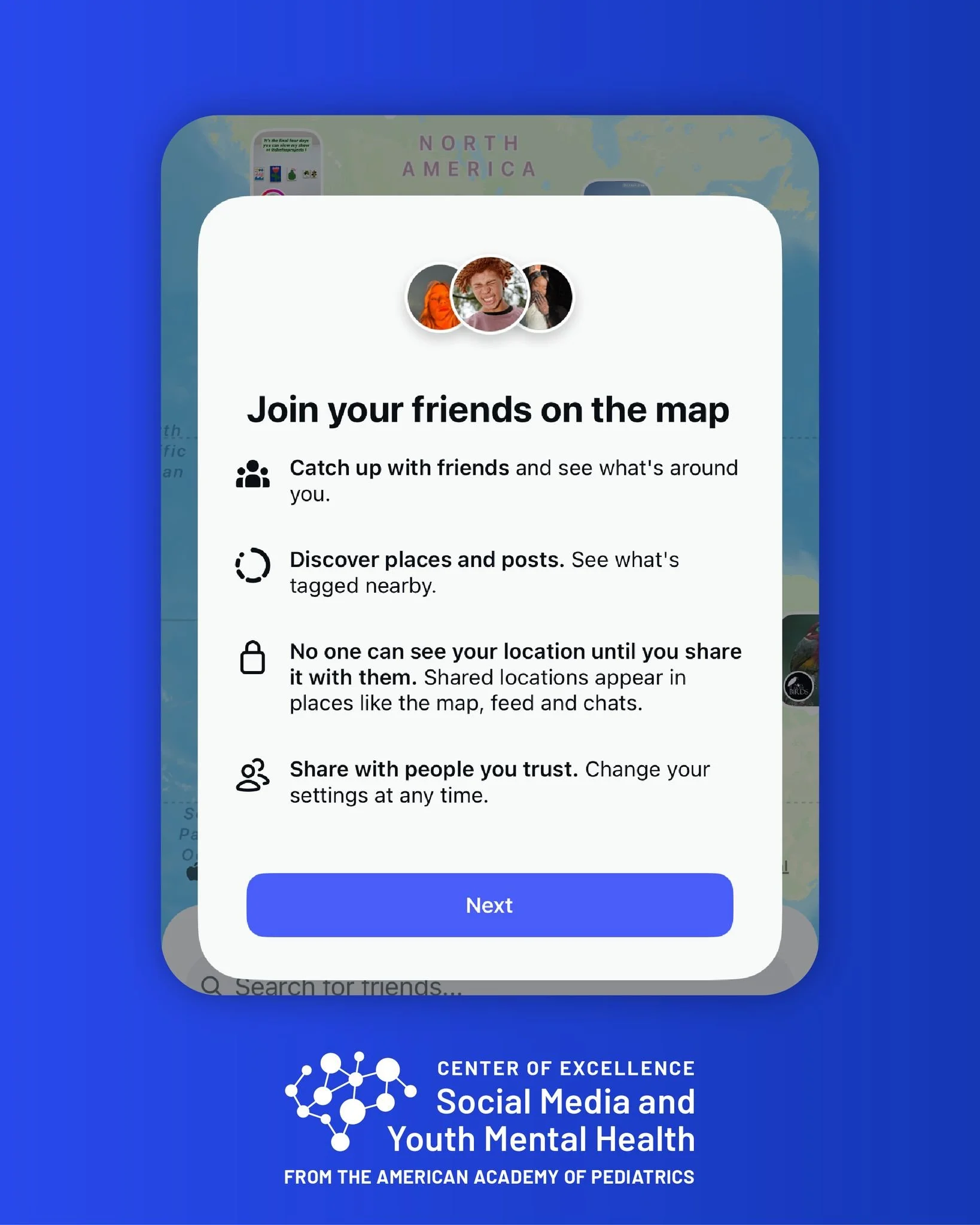
Social media continues to evolve, and one of the most recent changes catching parents’ attention is Instagram’s new location-sharing feature. This update introduces a map tool that allows users to share their real-time location with friends and followers. While it may sound like a fun way to connect, it’s also raising questions about safety and privacy—especially for families with teens.
Many users were initially surprised by the feature, unsure whether it was automatically enabled or something they had to opt into. If you’re a parent, understanding how this works is essential to protecting your child online.
Why This Matters for Families
Location sharing can be risky because it makes it easier for others to know exactly where someone is in real time. For teens, this can open the door to safety issues, unwanted attention, or even strangers knowing too much about their routines. Social media already brings plenty of challenges for young users, and features like this make parental involvement even more important.
What Parents Need to Know
If your teen has what Instagram calls a “Teen Account,” you’ll be notified if they choose to enable this new location-sharing option. This transparency is designed to help parents stay informed and aware of how their child is using the platform.
Still, it’s a good idea to sit down with your teen and talk about how location sharing works, the potential risks, and why it’s better to keep their whereabouts private.
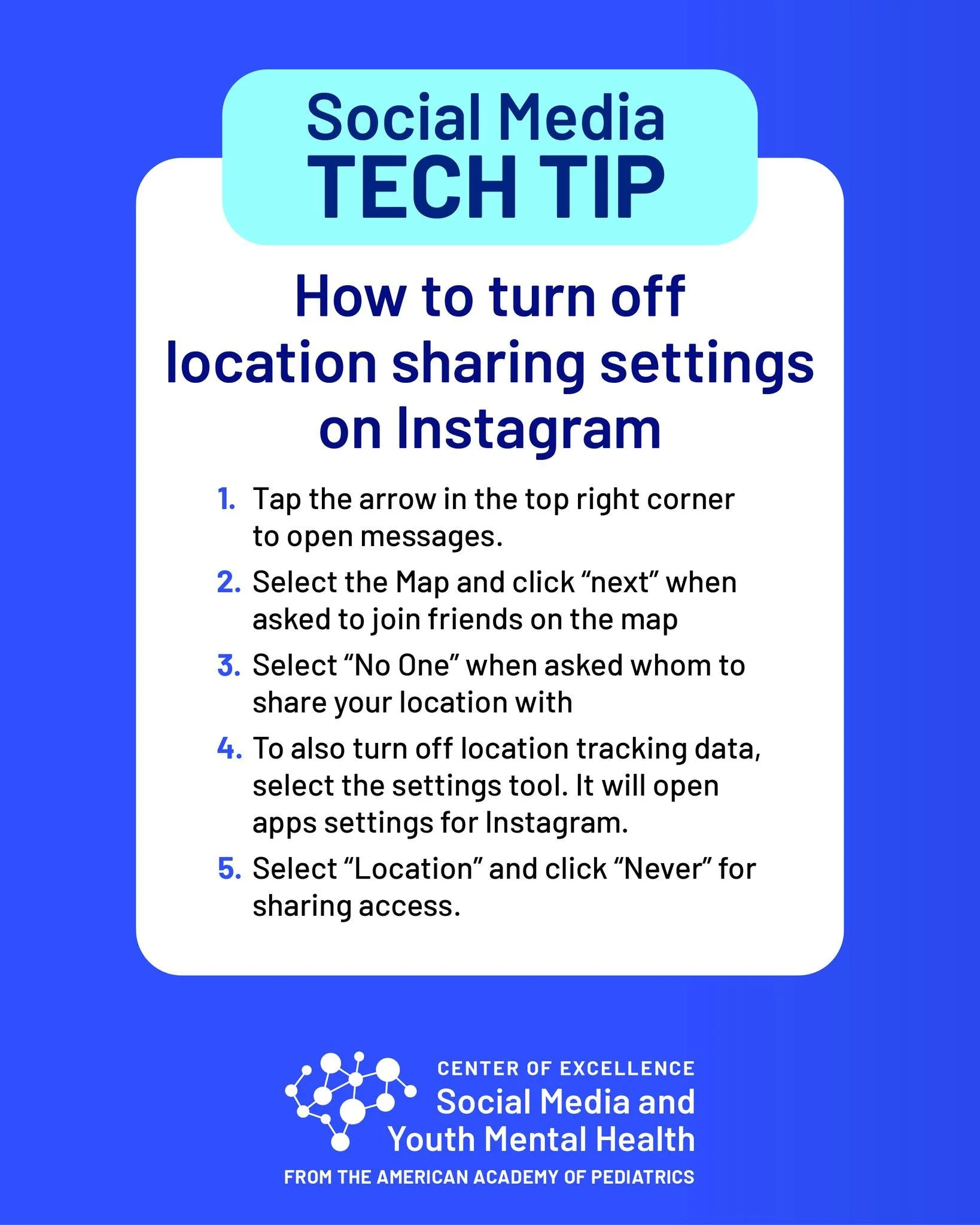
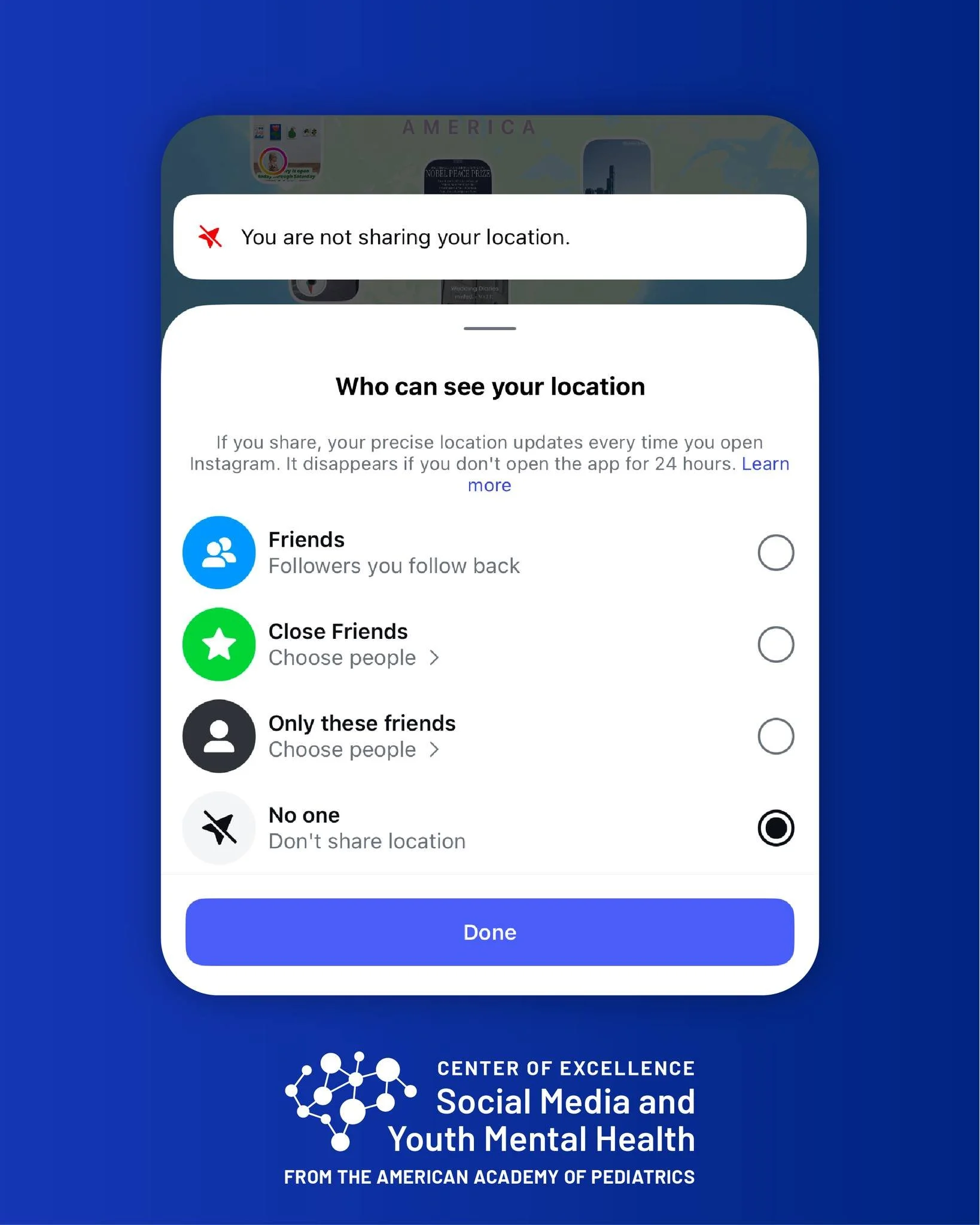
How to Check and Turn It Off
If you’re unsure whether location sharing is enabled on your child’s account, here’s how you can double-check:
Open Instagram Settings.
Go to Privacy Options. Look for the new “Location Sharing” section.
Toggle it Off. If it’s enabled, you can turn it off with a simple switch.
Encourage your teen to keep this setting turned off unless absolutely necessary.
Tips for Talking to Your Teen
Keep the conversation open. Let them share their thoughts about why they might want to use the feature, then explain the risks.
Compare it to real-life safety. Just like they wouldn’t give their home address to a stranger, they shouldn’t share their live location with large groups of people online.
Set family rules. Decide together on guidelines for safe social media use.
Staying Informed as a Parent
Social media platforms are constantly updating their features, which can make it challenging for parents to keep up. Checking in regularly with your child, monitoring their accounts, and keeping up with changes like these can help protect them.
At The Children’s Clinic, we know that raising kids in a digital world comes with new challenges. If you have questions about your child’s online safety, privacy, or even mental health related to social media, don’t hesitate to reach out. Your pediatrician is here to help guide you through these conversations and support your family.
The Children’s Clinic
📍 264 Coatsland Drive, Jackson, TN 38301
📞 Call us at 731-423-1500